
Platforms
Use platform integrations when your ERP or application needs to launch a Jodo-hosted payment flow and bring the user back after completion.
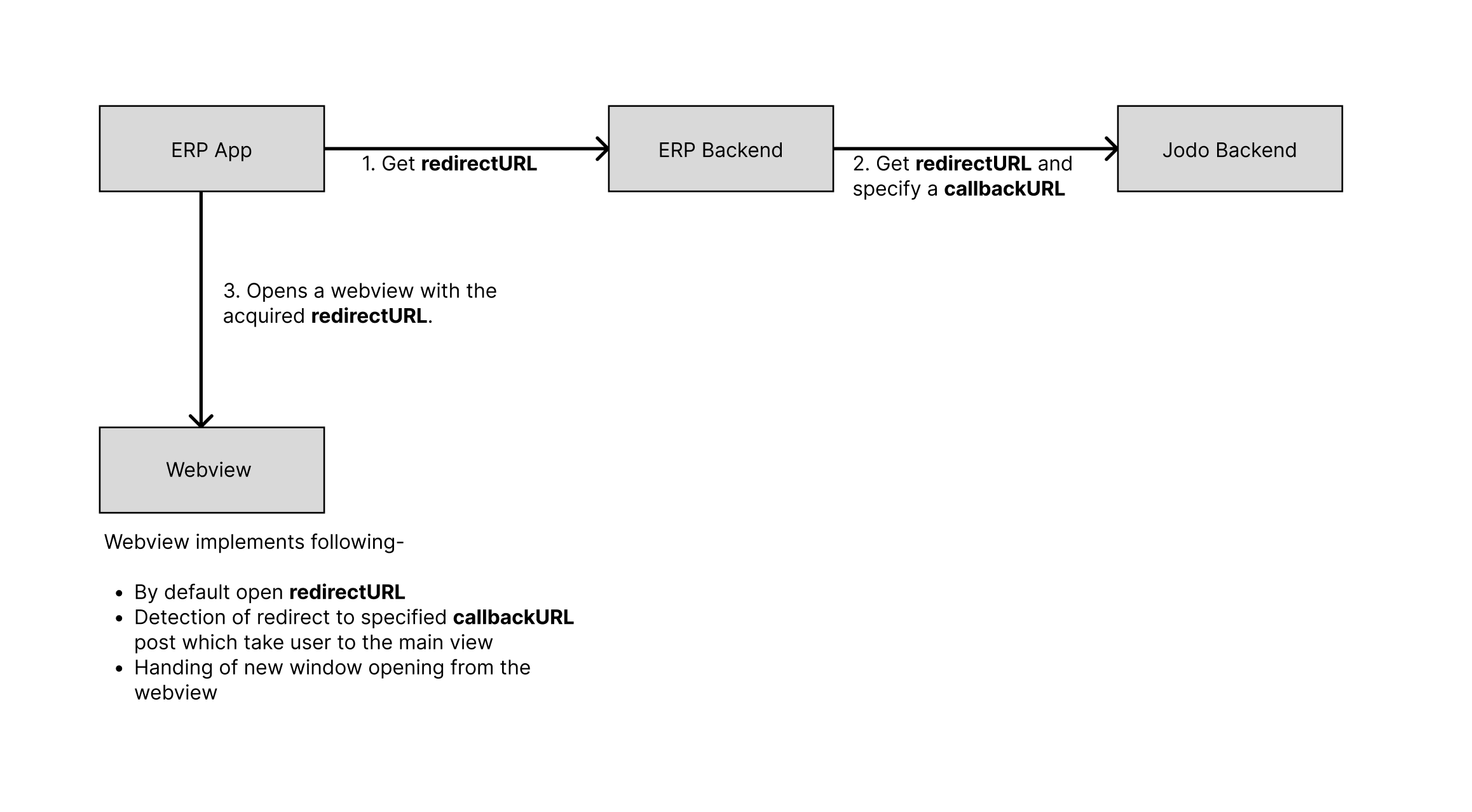
The platform flow is the same across mobile and web:
- Your backend requests or receives a Jodo
redirect_url. - Your app opens the
redirect_urlin the appropriate surface. - Jodo handles payment setup, authentication, and bank or UPI redirection.
- Jodo redirects the user to your configured
callback_url. - Your backend confirms the latest payment status using APIs and webhooks.
Choose a Platform
Section titled “Choose a Platform”React Native
Open the Jodo flow inside a React Native WebView and handle callback redirects.
Open guide → MobileAndroid
Embed checkout in Android WebView with support for UPI intents, popups, and callback handling.
Open guide → WebWeb
Open checkout from a browser flow and handle the callback URL after completion.
Open guide →Integration Requirements
Section titled “Integration Requirements”- Always generate the
redirect_urlfrom your backend. Do not expose server-side credentials in the app. - Pass a
callback_urlthat your app or web page can detect after the Jodo flow completes. - Treat the callback as a user navigation signal, not as final proof of payment.
- Use Jodo APIs and webhooks to confirm final status before updating financial records.
- Test UPI, net banking, card authentication, cancellation, back navigation, and timeout scenarios.
Callback Handling
Section titled “Callback Handling”The callback_url is the URL where Jodo redirects the user after the hosted flow ends. Your application should detect this URL and close the checkout surface, show a status screen, or return the user to the relevant page.
Payment status should still be confirmed server-side. A user can close the app, lose network connectivity, or return before asynchronous settlement updates are complete.
Common Questions
Section titled “Common Questions”Can the same redirect URL be used across platforms?
Section titled “Can the same redirect URL be used across platforms?”Yes. The Jodo-hosted URL can be opened from web, Android, or React Native. The platform-specific work is in how you open the URL, handle child windows or intents, and detect the callback.
Can we customize the hosted Jodo flow?
Section titled “Can we customize the hosted Jodo flow?”The hosted flow follows Jodo’s payment experience for consistency and security. Your application can control the entry point, loading state, error state, and callback handling around the hosted flow.
What should happen if the user closes checkout?
Section titled “What should happen if the user closes checkout?”Return the user to a safe state and check payment status from your backend. Do not assume failure only because the checkout window or WebView was closed.
How should timeouts be handled?
Section titled “How should timeouts be handled?”Show a pending or retry state to the user, then verify the latest status using APIs and webhooks. Avoid creating duplicate orders or payment attempts while a previous attempt may still complete.